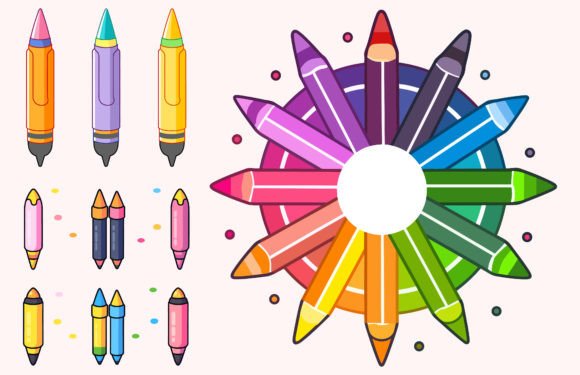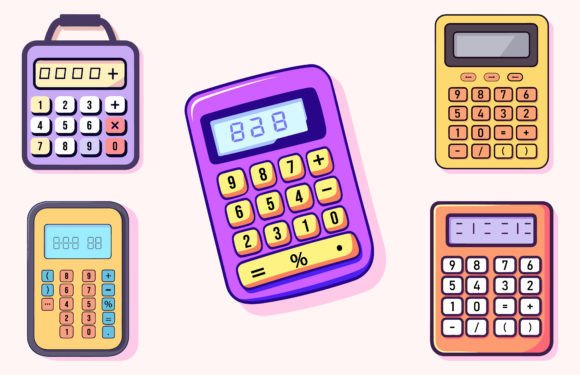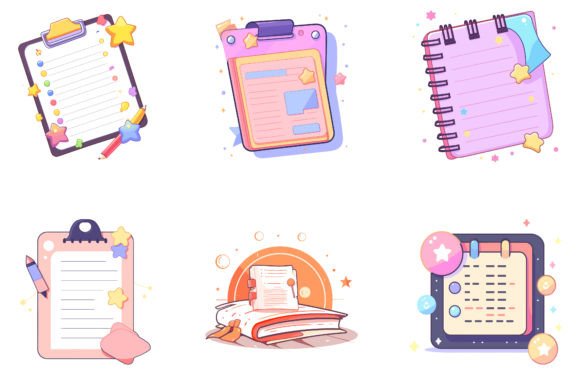
Colorful Exam Pad Vector Illustration
Imagine opening a design project and instantly having six vibrant, classroom-ready exam pads—each one fully editable, infinitely scalable, and crafted with intention. That’s what the Colorful Exam Pad Vector Illustration set delivers: not just clipart, but flexible creative assets built for real-world use.
These aren’t generic school-themed graphics. Each pad features bold outlines, cheerful color palettes, subtle textures, and thoughtful details—like spiral bindings, ruled lines, margin markers, and handwritten-style headers. Designed as both standalone elements and cohesive components of a larger visual language, they bridge function and personality in ways that resonate across age groups and platforms.
Why Designers & Educators Reach for This Set
The strength of the Colorful Exam Pad Vector Illustration lies in its balance of simplicity and specificity. It avoids overcomplication while offering enough nuance to feel authentic—not just “school-ish,” but genuinely useful in educational or learning-focused contexts.
Because each file comes in both PNG (for quick placement in presentations, social posts, or web banners) and EPS vector format (for precise editing in Illustrator, Affinity Designer, or CorelDRAW), users retain full control. Change colors in seconds. Resize without pixelation. Isolate individual elements—like a single spiral binding or a checkmark icon—to repurpose across branding systems.
With 100 vector shapes included across the six designs, you’re not limited to whole pads. Extract icons, borders, decorative corners, or line patterns to build custom worksheets, flashcards, digital planners, or printable reward charts—all while maintaining consistent visual tone.
Creative Applications Across Roles
Different users unlock different value from the same files. Here’s how:
- Educators use them to create differentiated handouts—color-coding by subject (blue for math, green for science) or difficulty level (pastel for beginner, saturated for advanced). A single pad becomes a template for exit tickets, vocabulary journals, or peer feedback forms.
- Freelance designers integrate them into client projects for edtech startups, tutoring services, or online course platforms. The clean vector structure makes it easy to align with brand guidelines—swap out default yellows for corporate blues, add client logos to corner badges, or layer subtle gradients for modern UI mockups.
- Bloggers and content creators embed them in tutorial posts (“How to Study Smarter”) or productivity roundups. A cropped close-up of a pad with handwritten notes adds warmth and credibility to an article about active recall techniques—no stock photo fatigue required.
- Small business owners print them on physical products: stickers for student planners, tote bags for back-to-school pop-ups, or laminated study guides sold at local bookshops. Because EPS files scale flawlessly, there’s no need to manage multiple resolutions.
- Hobbyists and DIY enthusiasts adapt them for personal organization—turning a “math quiz” pad into a weekly meal planner by replacing equations with ingredient lists and swapping blue for sage green.
Staying Clear, Consistent, and Audience-Friendly
Even with expressive visuals, clarity matters most. When using the Colorful Exam Pad Vector Illustration, consider these practical checks before finalizing:
- Contrast first: If adding text over a busy pad background, test legibility at actual size—especially for younger readers or screen readers. Use the vector layers to mute backgrounds or add semi-transparent overlays.
- Match intent to tone: A neon-yellow pad signals energy and engagement—ideal for gamified learning apps. A muted terracotta version feels grounded and calm—better suited for mindfulness or study-break resources.
- Respect context: In formal academic publishing, simplify—remove decorative flourishes and stick to clean lines and neutral accents. For elementary classrooms, amplify friendliness with added doodles (easily pulled from the 100-shape library).
- Keep accessibility in mind: Avoid relying solely on color to convey meaning. Pair red “error” highlights with icons or patterns. Ensure downloadable PDFs preserve vector integrity so users can zoom without loss.
Getting Started—Fast and Flexible
The files arrive compressed in one ZIP folder—no fragmented downloads or missing assets. Whether you're on Windows or macOS, extraction is straightforward: double-click the archive, or use WinRAR, 7-Zip, or your system’s built-in utility. Inside, you’ll find six uniquely styled pads—each named clearly (e.g., “ExamPad_Blue_Spiral”, “ExamPad_Yellow_Lined”)—so you can locate what you need without guesswork.
No special software is required to begin. PNGs drop right into Canva, PowerPoint, Google Slides, or Figma. For deeper customization, open EPS files in vector editors and adjust strokes, fills, grouping, or typography—then export new PNGs or SVGs tailored to your platform’s specs.
More Than Back-to-School—A Toolkit for Lifelong Learning
While the Back to School Notepad Vector Bundle fits naturally into August planning cycles, its usefulness extends far beyond seasonal campaigns. Think of it as infrastructure—not decoration. These pads support ongoing communication between teachers and students, coaches and clients, mentors and mentees.
A therapist might use a simplified pad layout to co-create goal-tracking sheets with teens. A language tutor could print bilingual vocabulary grids on colorful pads for tactile learning. A nonprofit building digital literacy programs might adapt the designs into accessible, low-bandwidth-friendly worksheet templates for community workshops.
That versatility stems from intentionality in construction: generous whitespace, logical layer naming, and modular components. You’re not adapting a finished image—you’re working with a system designed for reuse.
Final Thought: Design With Purpose, Not Just Polish
The best creative tools don’t shout—they serve. The Colorful Exam Pad Vector Illustration set succeeds because it respects the user’s time, goals, and audience. It doesn’t ask you to force inspiration; it gives you reliable, joyful building blocks you can trust.
So whether you’re sketching a lesson plan at midnight, prepping a client pitch for an edtech investor, or designing your first printable planner to sell on Etsy—the pads are ready. Edit them. Combine them. Simplify them. Make them yours. And remember: clarity, consistency, and care matter more than complexity every time.