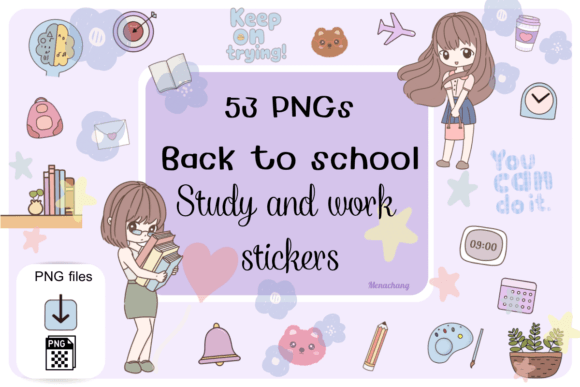
Study and Work Stickers: Your Digital Toolkit Just Got Cuter (and Smarter)
Whether you’re scribbling notes in GoodNotes before a 8 a.m. lecture, color-coding deadlines in Notability for a group project, or organizing quarterly KPIs in an iPad planner—Study and Work Stickers quietly transform how you think, plan, and stay grounded. They’re not just decorative fluff. They’re functional design tools that bridge intention and action—especially when they’re crafted with purpose, precision, and pixel-perfect clarity.
Why These Aren’t Just “Cute” Stickers—They’re Workflow Anchors
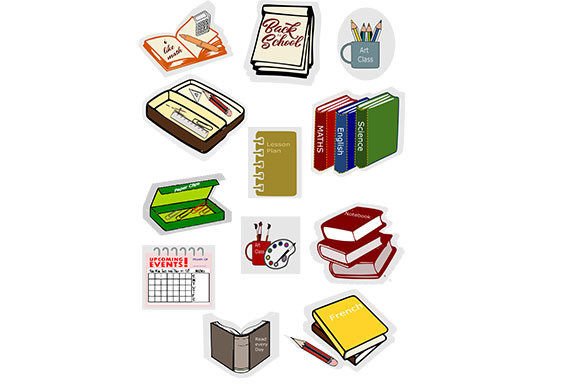
Let’s be real: most digital sticker packs fall into one of two categories—overly generic or visually overwhelming. But the 📕 Back to School Study Work Stickers pack avoids both traps. With 53 PNG files, each sized at 3000 × 3000 px and rendered at 300 DPI, these aren’t scaled-up phone wallpapers masquerading as stickers. They’re built for clarity—even when resized down for tight notebook margins or zoomed in for detailed annotations.
That resolution matters. When you drag a “Focus Time” sticker onto a busy weekly spread in GoodNotes, its clean lines and crisp edges don’t blur or pixelate. Same goes for tiny icons like “📚 Read Later” or “✅ Done”—they remain legible at 40% scale. And because every file ships with a transparent background, there’s zero awkward white boxes ruining your minimalist aesthetic or clashing with custom paper textures.
Designed for Real-Life Use—Not Just Pretty Previews
This isn’t a “hand-drawn once and exported” collection. Each sticker feels intentionally placed in a student’s or professional’s day-to-day rhythm:
- Classroom-ready cues: “Ask Question”, “Due Tomorrow”, “Review This!”—ideal for annotating lecture slides or tagging flashcards in Notability.
- Work-mode markers: “Deep Work”, “Meeting Notes”, “Follow Up”—perfect for structuring client briefs or sprint retrospectives.
- Gentle accountability nudges: “Hydrate!”, “Stretch Break”, “Breathe”—small but meaningful reminders baked right into your digital pages.
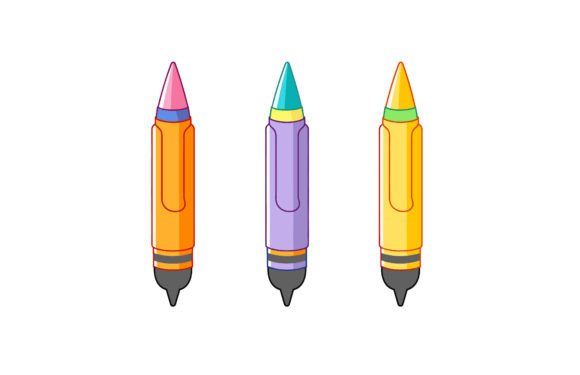
And yes—they’re handmade. Not in the sense of physical cutting or glue, but in the care behind each curve, shadow, and spacing decision. You can tell by how the pencil icon doesn’t look like a clipart afterthought—it has weight, texture, and subtle contrast that holds up across devices.
Digital Download = Instant Flexibility, Zero Clutter
No waiting for shipping. No plastic sleeves or sticker sheets taking up drawer space. A digital download means you get full control—right now.
Drop the ZIP into your iPad Files app, import directly into GoodNotes or Notability (or Obsidian, OneNote, even Canva), and start dragging. Want to use only the “Goal Tracker” set? Extract just those 7 files. Prefer pastel tones over bold primaries? Tweak saturation in your editor—no loss in quality thanks to the high-res source files.
This flexibility is why teachers love these for lesson planning: paste a “Warm-Up Activity” sticker on Monday’s page, swap in “Exit Ticket” for Friday—all without printing, laminating, or hunting through binders. Remote workers use them to visually separate “deep focus blocks” from “admin time” in shared Notion dashboards. Even grad students building literature review trackers lean on the “Source Cited” or “Needs Verification” labels to reduce cognitive load during long research sessions.
Compatibility That Just Works—No Hacks Required
You don’t need a degree in tech to make these stick—literally and figuratively. The pack works natively with:
- GoodNotes (v6+): Drag-and-drop into any notebook. Resize freely. Rotate for emphasis. Pin to toolbar for one-tap access.
- Notability: Import as images or add via the “Sticker” tool. They behave like native assets—no lag, no transparency glitches.
- Other apps: From Apple Notes and Zoom whiteboards to Miro and Figma—any platform accepting PNG imports will honor their transparency and resolution.
No proprietary formats. No subscription locks. No watermarks. Just clean, ready-to-use assets that adapt—not resist—your existing habits.
What Makes These Stand Out in a Saturated Market?
Scroll through any sticker marketplace and you’ll see hundreds of “back to school” bundles. So what separates this set?
Thoughtful Curation Over Quantity
Fifty-three may sound like a lot—until you realize how many are *actually useful*. There’s no filler “rainbow unicorn” or “vintage coffee cup” just to hit a round number. Every sticker solves a micro-problem: tracking revision cycles, flagging urgent emails, marking unread chapters, celebrating small wins (“I showed up!”). It’s utility dressed in charm—not the other way around.
Consistent Visual Language
Color palette? Harmonized—but not monotonous. Line weight? Uniform across all icons, so “Submit Assignment” carries the same visual authority as “Lab Report Due”. Spacing? Generous enough for readability, tight enough to avoid looking sparse. That cohesion reduces visual noise—so your notes feel organized *before* you even write a word.
Teacher-Tested & Student-Approved
These weren’t designed in isolation. Feedback loops shaped details like the size of checkmark circles (big enough to tap easily on smaller iPad models) and the opacity of subtle highlight effects (visible but never distracting). One high school English teacher reported using the “Quote Analysis” sticker to tag key passages in digital texts—students then reply directly in the margin, turning passive reading into active dialogue.
Who Actually Benefits—and How?
Students use them to build structure without rigidity. A first-year biology major layers “Key Term”, “Diagram Here”, and “Relate to Lecture 3” on her anatomy notes—creating layered context in seconds. No more frantic underlining or sticky-note avalanches.
Teachers streamline prep: drop “Objective”, “Standard Alignment”, and “Differentiation Tip” onto lesson templates. Then duplicate and tweak for next week—saving hours per unit.
Remote professionals turn vague intentions into visible commitments. “Draft Proposal” becomes a sticker pinned to today’s agenda. “Send Follow-Up” lives right beside the meeting summary—so it doesn’t vanish into email limbo.
Even neurodivergent users report benefits: predictable visual cues lower executive function load, while the tactile-like satisfaction of placing a sticker creates gentle dopamine reinforcement—making habit-building feel lighter, not harder.
Practical Tips Before You Download
Before grabbing the ZIP, consider how you’ll integrate it:
- Start small: Pick 5–7 go-to stickers—like “Priority”, “To Research”, “Done”, “Wait For”, and “Ideas”—and master those first.
- Organize your library: Create folders in GoodNotes or Notability labeled “Academic”, “Work”, “Personal”—then sort stickers accordingly.
- Customize meaning: That “Lightbulb” sticker doesn’t have to mean “idea”. Try “Eureka moment”, “Client asked this”, or “Cross-reference needed”.
- Pair with templates: Use these stickers alongside weekly planners, Cornell note layouts, or Kanban-style task boards—they elevate structure without dictating it.
Remember: the goal isn’t sticker overload. It’s intentional placement—where each one earns its spot on the page.
So whether you’re prepping for finals, launching a new course, or redesigning your team’s workflow—these Study and Work Stickers aren’t just about going back to school. They’re about showing up, staying focused, and making your digital space work *for* you—not against you.