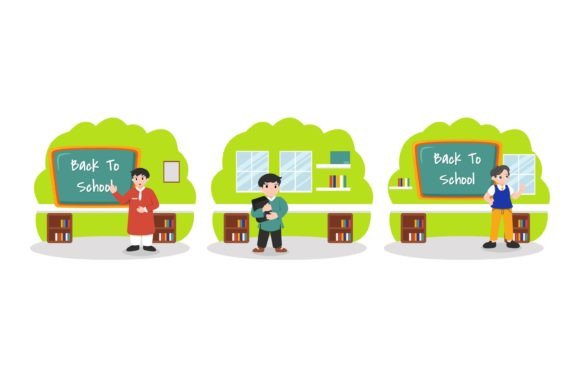
Back to School Student Achievement: A Practical Resource for Educators and Designers
Back to School Student Achievement refers to a ready-to-use digital design asset intended to support recognition, motivation, and classroom culture during the academic year’s opening weeks. Unlike generic back-to-school templates or broad educational posters, this resource focuses specifically on celebrating student progress—whether academic, behavioral, or social-emotional—at the start of a new term. It is not a curriculum tool, assessment framework, or learning management system; rather, it functions as a visual communication aid: a polished, professionally sized graphic that can be printed, projected, or embedded into digital platforms to affirm student effort and growth.
What Sets This Design Apart From Other Back-to-School Visuals
Many educators rely on free online templates, classroom clipart bundles, or DIY Canva designs when preparing welcome materials. While those options offer flexibility and low cost, they often require significant time investment to customize meaningfully—and may lack consistency in resolution, color fidelity, or scalability. Back to School Student Achievement addresses these practical constraints by delivering six production-ready files at a fixed 1920px × 1280px canvas size. That dimension ensures compatibility with standard classroom projectors, interactive whiteboards, and high-resolution displays without pixelation or cropping issues.
The inclusion of an AI (Adobe Illustrator) file and EPS format means vector-based editing is possible: text can be updated, colors adjusted, and layout elements repositioned without quality loss. The DXF file extends utility beyond print and screen—it supports laser cutting or CNC engraving, enabling physical classroom signage or award plaques. Meanwhile, the JPG and PNG files provide immediate usability for newsletters, LMS dashboards, or parent communications. This breadth of format support reflects a deliberate balance between professional-grade adaptability and plug-and-play accessibility.
Comparing Formats and Use Cases
When evaluating resources like Back to School Student Achievement, format compatibility matters more than aesthetics alone. Here’s how its file set compares across common real-world needs:
- Classroom posters or bulletin boards: The JPG and PNG files work well for quick printing, but only the AI and EPS retain crisp edges at large sizes. If you plan to scale the design beyond 24×36 inches, vector formats are essential.
- Digital announcements or LMS banners: PNG is ideal here due to transparent background support, while JPG offers smaller file sizes for faster loading in learning platforms with bandwidth limits.
- Customized awards or certificates: Editing names, dates, or achievement categories requires editable text layers—only the AI and EPS files preserve that functionality reliably.
- Tactile or hands-on recognition tools: The DXF file enables fabrication of acrylic name tags, wooden desk plates, or fabric appliqués—something most stock image sites or free template libraries simply don’t provide.
This multi-format approach avoids forcing users into workarounds—such as converting raster images to vectors (which rarely yields clean results) or outsourcing editing to a designer just to change a font or add a school logo.
Strengths and Realistic Tradeoffs
One of the core strengths of Back to School Student Achievement lies in its focused scope. Rather than attempting to serve every possible back-to-school need—from lesson planning to behavior charts—it concentrates on one specific communicative goal: honoring student accomplishment early in the year. That narrow focus allows for intentional design choices: balanced typography, inclusive imagery cues, and color palettes tested for readability against varied classroom lighting.
However, that same specificity introduces natural limitations. It does not include editable lesson plans, editable student data trackers, or multilingual versions. It is not animated, nor does it integrate with Google Classroom or Canvas APIs. If your priority is dynamic, interactive content—or if your school mandates bilingual or culturally localized materials—this design serves best as a foundational visual element within a broader strategy, not a standalone solution.
Also worth noting: while the 1920×1280px size suits many display contexts, it isn’t optimized for social media feeds (where vertical or square ratios perform better) or mobile-first communications. Users needing Instagram stories or WhatsApp announcements would still need to crop or resize—though the included PNG and JPG make that straightforward.
When This Resource Fits—and When It Doesn’t
Back to School Student Achievement is especially well-suited for educators who value consistency and efficiency across multiple output channels. For example, a grade-level team coordinating welcome assemblies, hallway displays, and digital newsletters might use the AI file to update shared messaging once, then export tailored versions for each medium. Similarly, school communications staff preparing end-of-summer outreach to families may rely on the high-res JPG for email headers and the PNG for website banners—knowing both derive from the same source and maintain visual cohesion.
It also benefits designers supporting schools—freelancers, district graphic designers, or PTA volunteers—who need to deliver polished assets quickly without reinventing layout fundamentals. Having a professionally composed base design saves time that would otherwise go toward alignment, spacing, contrast testing, or font licensing checks.
Conversely, this resource may be less appropriate for educators seeking highly personalized, student-co-created visuals—or those working with very young learners who respond better to tactile, photo-based, or illustrated storytelling over typographic emphasis. In those cases, pairing this design with student-drawn elements or collaborative photo collages often yields richer engagement than using it in isolation.
Integration With Broader Recognition Practices
Achievement recognition works best when aligned with ongoing classroom systems—not treated as a one-time decorative gesture. Back to School Student Achievement fits naturally into structures like goal-setting conferences, “First Week Wins” reflection journals, or peer-nomination boards. Its clean layout leaves room—literally and conceptually—for adding student voice: blank spaces for handwritten notes, QR codes linking to digital portfolios, or placeholders for photos taken during orientation activities.
Importantly, the design avoids prescriptive language like “Top Performer” or “Best in Class,” which can inadvertently reinforce fixed mindsets or narrow definitions of success. Instead, phrasing centers growth, effort, and community—aligning with research on effective praise and equitable classroom practices. That subtlety makes it adaptable across grade levels and subject areas without requiring heavy revision.
Making an Informed Choice
Choosing among back-to-school resources ultimately depends on your goals, timeline, technical comfort, and audience. Free templates offer speed and zero cost but often demand extra labor to achieve polish. Subscription-based design platforms provide variety but may lock edits behind paywalls or limit download rights. Custom illustration services yield uniqueness but carry higher expense and turnaround time.
Back to School Student Achievement occupies a middle ground: a one-time, affordable investment in a versatile, technically sound asset built for real classroom conditions—not just ideal ones. It won’t replace thoughtful pedagogy or responsive relationship-building, but it can reduce friction in expressing appreciation meaningfully and consistently. For educators weighing time versus customization, durability versus novelty, or simplicity versus feature overload, it represents a grounded option—one designed to support, not overshadow, the people and practices already at the heart of student achievement.